0

How is a Satellite Launched into an Orbit?


All satellites today get into orbit by riding on a rocket or by riding in the cargo bay of the Space Shuttle. Several countries and businesses have rocket launch capabilities, and satellites as large as several tons make it safely into orbit on a regular basis.
For most satellite launches, the scheduled launch rocket is aimed straight up at first. This gets the rocket through the thickest part of the atmosphere most quickly and best minimizes fuel consumption.
After a rocket launches straight up, the rocket control mechanism uses the inertial guidance system to calculate necessary adjustments to the rocket's nozzles to tilt the rocket to the course described in the flight plan. In most cases, the flight plan calls for the rocket to head east because Earth rotates to the east, giving the launch vehicle a free boost. The strength of this boost depends on the rotational velocity of Earth at the launch location. The boost is greatest at the equator, where the distance around Earth is greatest and so rotation is fastest.
How big is the boost from an equatorial launch? To make a rough estimate, we can determine Earth's circumference by multiplying its diameter by pi (3.1416). The diameter of Earth is approximately 7,926 miles (12,753 km). Multiplying by pi yields a circumference of something like 24,900 miles (40,065 km). To travel around that circumference in 24 hours, a point on Earth's surface has to move at 1,038 mph (1,669 kph). A launch from Cape Canaveral, Florida, doesn't get as big a boost from Earth's rotational speed. The Kennedy Space Center's Launch Complex 39-A, one of its launch facilities, is located at 28 degrees 36 minutes 29.7014 seconds north latitude. The Earth's rotational speed there is about 894 mph (1,440 kph). The difference in Earth's surface speed between the equator and Kennedy Space Center, then, is about 144 mph (229 kph). (Note: The Earth is actually oblate -- fatter around the middle -- not a perfect sphere. For that reason, our estimate of Earth's circumference is a little small.)
Considering that rockets can go thousands of miles per hour, you may wonder why a difference of only 144 mph would even matter. The answer is that rockets, together with their fuel and their payloads, are very heavy. For example, the February 11, 2000 lift-off of the Space Shuttle Endeavor with the Shuttle Radar Topography Mission required launching a total weight of 4,520,415 pounds (2,050,447 kg). It takes a huge amount of energy to accelerate such a mass to 144 mph, and therefore a significant amount of fuel. Launching from the equator makes a real difference.
Once the rocket reaches extremely thin air, at about 120 miles (193 km) up, the rocket's navigational system fires small rockets, just enough to turn the launch vehicle into a horizontal position. The satellite is then released. At that point, rockets are fired again to ensure some separation between the launch vehicle and the satellite itself.


0

What is a Satellite?


A satellite is basically any object that revolves around a planet in a circular or elliptical path. The moon is Earth's original, natural satellite, and there are many manmade (artificial) satellites, usually closer to Earth.

  • The path a satellite follows is an orbit. In the orbit, the farthest point from Earth is the apogee, and the nearest point is the perigee.
  • Artificial satellites generally are not mass-produced. Most satellites are custom built to perform their intended functions. Exceptions include the GPS satellites (with over 20 copies in orbit) and the Iridium satellites (with over 60 copies in orbit).
  • Approximately 23,000 items of space junk -- objects large enough to track with radar that were inadvertently placed in orbit or have outlived their usefulness -- are floating above Earth. The actual number varies depending on which agency is counting. Payloads that go into the wrong orbit, satellites with run-down batteries, and leftover rocket boosters all contribute to the count. This online catalog of satellites has almost 26,000 entries!

Although anything that is in orbit around Earth is technically a satellite, the term "satellite" is typically used to describe a useful object placed in orbit purposely to perform some specific mission or task. We commonly hear about weather satellites, communication satellites and scientific satellites.


0

What is Networking?


Networking is the art of building alliances. It's not contacting everyone you know when you are looking for a new job and asking if they know of any job openings. Networking starts long before a job search, and you probably don't even realize you are doing it.
Kelly Pate of the Denver Post wrote in her article, Everyday People Key in Job Networking (March 30, 2003), that "Friends, friends of friends, a barber, a neighbor and former co-workers are often the best resources for job seekers, especially in a market with far more people out of work than job openings, job placement experts say."
You are networking when you
• attend professional or trade association meetings
• talk to other parents when attending your child's sporting or music events
• volunteer for a local park "clean-up" day
• visit with other members of your social clubs or religious groups
• talk to your neighbors
• strike up a conversation with someone else waiting at the veterinarian's office
• post messages on mailing lists or in chat rooms
• talk to sales persons who are visiting your office


0

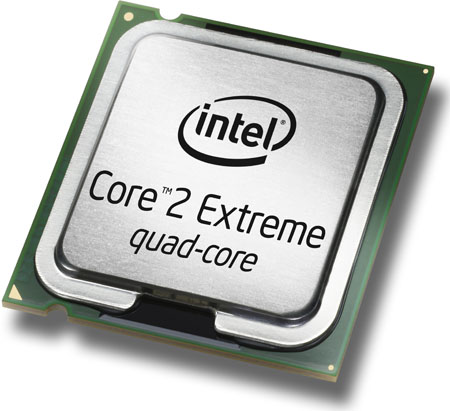
What's a processor?


If you know the basics, skip this part, but I want to make sure all bases are covered. The processor is the mind of your computer. It does your computation, it rallies the "soldiers" as it were, your video card, your peripherals, your sound... The speed and architecture of your processor basically defines how your machine is going to run. It's a chip inside your machine, plugged into your motherboard.


The most important thing to think of is: what do I want my machine to do? The biggest mistake many people make is spending too much money on a machine, because they think faster is always better. Well, it is, but is it always worth it? If you want to surf the web, or do spreadsheets and word processing, you'll be perfectly happy with a "middle of the road" processor, around 400 to 500 mhz or less. If you play lots of 3D games or other demanding applications, and have the money to spare, then go all out.

One important thing to remember is that the top of the line processors are ALWAYS overpriced. After a top of the line processor is released, it usually drops $100 a week in price for about a month.

That being said, if you're buying a processor, there are two things to consider. If you are upgrading an existing system, you have to buy a new processor that fits your current architecture. Processors come in "slot" and "socket" architecture, and their bus speed also determines which motherboard they can go in. If this lingo confuses you, never fear, there's a vocabulary section below.


0

What is Laptop?


A laptop (also known as a notebook) is a personal computer designed for mobile use small enough to sit on one's lap[1]. A laptop includes most of the typical components of a typical desktop computer, including a display, a keyboard, a pointing device (a touchpad, also known as a trackpad, or a pointing stick) as well as a battery, into a single small and light unit. The rechargeable battery required is charged from an AC/DC adapter (ie, a wll wart) and typically stores enough energy to run the laptop for several hours.

Laptops are usually shaped like a large notebook with thicknesses between 0.7–1.5 inches (18–38 mm) and dimensions ranging from 10x8 inches (27x22cm, 13" display) to 15x11 inches (39x28cm, 17" display) and up. Modern laptops weigh 3 to 12 pounds (1.4 to 5.4 kg); older laptops were usually heavier. Most laptops are designed in the flip form factor to protect the screen and the keyboard when closed. Modern 'tablet' laptops have a complex joint between the keyboard housing and the display, permitting the display panel to twist and then lay flat on the keyboard housing. They usually have a touchscreen display and some include handwriting recognition or graphics drawing capability.

Laptops were originally considered to be "a small niche market"[2] and were thought suitable mostly for "specialized field applications" such as "the military, the Internal Revenue Service, accountants and sales representatives".[2][3] Battery-powered portable computers had just 2% worldwide market share in 1986[4]. But today, there are already more laptops than desktops in businesses, and laptop are becoming obligatory for student use and more popular for general use.[5] According to a forecast by Intel, more laptops than desktops will be sold in the general PC market as soon as 2009[6].


0

What ii Computer?


A personal computer (PC) is a computer whose original sales price, size, and capabilities make it useful for individuals.
It is unknown who coined the phrase with the intent of a small affordable computing device but John W. Mauchly described such a device in a November 3, 1962 New York Times article entitled "Pocket Computer may replace Shopping List". Six years later a manufacturer took a risk at referring to their product this way when Hewlett Packard advertised their "Powerful Computing Genie" as "The New Hewlett Packard 9100A personal computer"[1]. This advertisement was too extreme for the target audience and replaced with a much drier ad for the HP 9100A programmable calculator. [2] [3] [4] During the next 7 years the phrase had gained usage so when Byte magazine, published its first edition it referred to its readers as being in the "personal computing field"[5] while Creative Computing defined the personal computer as a "non-(time)shared system containing sufficient processing power and storage capabilities to satisfy the needs of an individual user." [6] Two years later when the 1977 Trinity of preassembled small computers hit the markets, the Apple II[7] and the PET 2001[8] were advertised as 'personal computers' while the TRS-80 was a microcomputer used for household tasks including "personal financial management". By 1979 over half a million microcomputers were sold and the youth of the day had a new concept of the personal computer. [9] The Personal Computer was also the first non-human abstract to be the Time Magazine Person of the Year.


0

Why the interest in mobile phones?


Mobile telephony gives everyone the opportunity to communicate without being dependent on location, i.e. outside the fixed telephony network. Many people find mobile phones useful, and for some people with disabilities, a mobile phone can be a necessity in certain situations.
The choice of mobile phone and mobile phone service can be significant for whether – and how – you can use a mobile phone. First and foremost a mobile phone can give you security, which gives you greater opportunities to cope on your own. Here are a few examples.
If you have problems finding your way around, having a mobile phone can be an advantage because you can call for help and relatives and other people can call you to make sure you are all right.
Many people feel afraid of going out alone into the countryside. A mobile phone can help lessen this fear.
A mobile phone can be used to make emergency calls or to call for assistance in many situations.
It can help meet communication needs in situations where public payphones cannot be used.
The aim of this guide is to help you choose the best type of mobile phone for your needs.
It is intended for people with disabilities and those involved in choosing mobile telephones for people with disabilities.


0

What is a mobile phone?


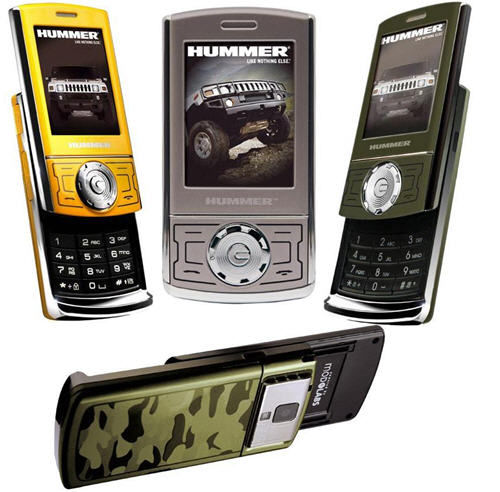
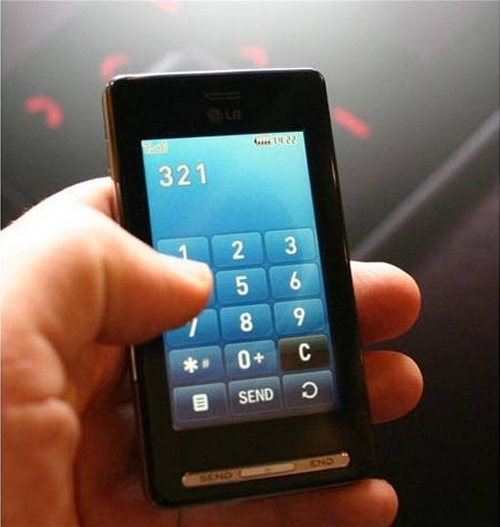
Mobile phones can be used to make telephone calls and receive and send messages. Mobile phones also have many other functions.

They can be difficult to use for people with visual or hearing impairments or motor or cognitive limitations.

This guide will look at some of the possibilities and limitations users should be aware of before using a mobile phone. It will also outline how to exploit the possibilities of the entire mobile network, not just those of mobile phones.

Services described in this document include the internet, e-mail, SMS, MMS, GPS, Chat, WAP, voice messages and JAVA programs.


Chat box


ShoutMix chat widget

Powered by Blogger. Theme: TheBuckmaker, Kredit online, Tyrol. Converted by Wordpress To Blogger for WP Blogger Themes